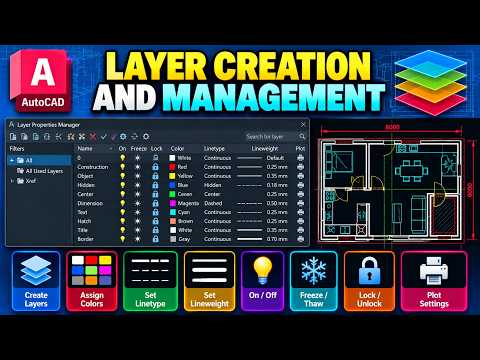
Computer-Aided Design (CAD) is the backbone of modern technical drawing and architectural planning. When working on complex engineering graphics projects, maintaining a structured digital canvas is crucial. This is where AutoCAD layer creation and management come into play. By organizing design elements systematically, professionals can significantly streamline workflows and improve overall engineering management across cross-functional technical teams.
What are AutoCAD Layers and Why Are They Essential?
Think of AutoCAD layers as transparent overlays placed on top of one another. Each layer holds specific drawing elements—such as dimensions, centerlines, structural walls, or electrical wiring. Assigning distinct properties like color, linetype, and lineweight to individual layers transforms a cluttered draft into a clear, professional blueprint. Proper layer organization ensures that team members can easily toggle visibility, isolate components, and edit drawings without risking unintended modifications to other parts of the design.
Key Steps for Effective Layer Management
To optimize your CAD workflow and ensure design consistency, follow these foundational layer management practices:
- Create Standardized Layer Names: Use clear, consistent naming conventions (e.g., WALLS, DIMENSIONS, TEXT) so anyone opening the file instantly understands the drawing structure.
- Assign Visual Properties: Differentiate drawing components by assigning specific colors and linetypes directly to layers rather than individual objects.
- Utilize Control Features: Master state controls like Freeze/Thaw, Lock/Unlock, and Turn On/Off to optimize drawing performance and prevent accidental edits during complex drafting sessions.
Enhancing Project Workflows
Clean drafting habits extend beyond individual technical drawings; they directly impact project execution and effective engineering management practices. When project standards are strictly maintained across all CAD files, design leads and project managers save valuable time during technical reviews, revisions, and site implementation. Standardized layer management reduces costly errors, enhances visual clarity, and ensures seamless collaboration across all phases of an engineering project.
Mastering AutoCAD layer management is a fundamental skill for students and professionals alike in engineering graphics. By implementing structured layer protocols today, you lay a solid foundation for clearer technical communication and superior project results.